ArtsXXX
lotusbubble from patreon
lotusbubble

patreon


Early Look: Comfy Sketch with Steps!

Happy Wednesday everyone! ๐Ÿ’Œ I hope youโ€™re all having a lovely week so far ๐Ÿฅฐ

Itโ€™s been a very productive & busy week for me so far, working on the tutorial video and finishing up the Draw With Me video ๐Ÿ˜Œ Iโ€™m excited because I completely finished all the filming for the hair tutorial yesterday evening and now all thatโ€™s left to do is edit! ๐Ÿฅณ It took much longer than I expected, but thatโ€™s because I want it to be extra detailed for you guys hehe ๐Ÿ’›

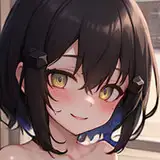
To take a little break from all the filming and editing, I made a little cozy sketch this morning while it was raining outside and decided to show you guys the steps as well! Itโ€™s a very mini step-by-step hehe but I hope you enjoy it ๐Ÿ™ˆ For those of you who are new, you can find this monthโ€™s official step-by-step here if you havenโ€™t seen it yet! Itโ€™s a very detailed tutorial page with all the steps of my rendering process for a character ๐Ÿฅณโœจ

I hope youโ€™re all having a lovely & beautiful day today :) ๐Ÿช Itโ€™s going to be raining all day where I live, which is perfect for staying comfy indoors and drawing! โ˜บ๏ธ stay cozy & warm everyone!

Love,

Lydia ๐Ÿ’Œ

Early Look: Comfy Sketch with Steps! Early Look: Comfy Sketch with Steps! Early Look: Comfy Sketch with Steps! Early Look: Comfy Sketch with Steps! Early Look: Comfy Sketch with Steps! Early Look: Comfy Sketch with Steps!

Comments

You can find the name of the brushes on each picture. Top left corner. If youโ€™d like to get them, you can buy them since she has no right to give other creators brushes away. JingSketch and Max has some brushes for free as I remember. Lydiaโ€™s brushes are available for purchase too (if youโ€™re in the Big-hearted Butterfly tier, you get them for free). :)

Thank u for this. Been trying to do the chromatic aberration lbut i didnt get like u did. Nevermind maybe bcoz my lineart is thick

CikpuanSB

I love how you always give us so much more than what you predict at the beginning of each month! Thank you <3

Kat'Couleurs

I love the monochromatic look ๐Ÿ˜

Gryb Designs (Olga Gryb)

Thanks for this Amazing content ๐Ÿฅฐ lately I am busily with my main Page but next week I Will start again with character design following your Amazing tutorials

Nicola Sodano

Thank you so much for answer it ๐Ÿ’• I will try it out ๐Ÿฅฐ

Devotionart

Thank you so much Anna! ๐Ÿ˜๐Ÿฅฐ

Lydia Elaine

Thanks so much Tora! ๐Ÿ˜„๐Ÿ’›

Lydia Elaine

Yay Iโ€™m happy you found it helpful! ๐Ÿฅฐ

Lydia Elaine

Sure! ๐Ÿ˜„ Itโ€™s a feature of Procreate with the new update, and thereโ€™s a button for it when you select the Effects button (where all your blur effects and color balance are located). Look down on that list and you should see it next to Glitch and Halftone! ๐Ÿ’›

Lydia Elaine

Sure! ๐Ÿ’› Something Iโ€™ve discovered that helps is to have everything all on one layer first; so to do that easily you can โ€œCopy Canvasโ€ and then create a new layer and click โ€œPasteโ€, which makes everything one layer :) then you select Chromatic Aberration, select Pencil instead of Layer, and I use an airbrush to paint it everywhere! I hope that helps :) If your line work is very clean, itโ€™s possible for it to look a little thinner, but I think it looks more noticeable when you have lots of sketchy lines!

Lydia Elaine

Love it ๐Ÿ’–๐Ÿ˜ can I ask how do you make the chromatic aberration look so noticeable? Because whenever I use it it ends up lookin like a very little and thin line

Devotionart

Ohh so helpful with your little notes ๐Ÿ˜๐Ÿ˜๐Ÿ˜

Elena Buya

Love it so much ๐ŸŒบ๐ŸŒบ could you please Lydia tell me how you make chromatic aberration? cause I couldnโ€™t catch it

Nahla

This is so cool

Anna @annsillustrations


More Creators